
Updated
Construction Site Tracking Setup Guide: Complete Security & Asset Management 2025
The Construction Site Security Challenge
Construction sites are prime targets for theft. Open layouts, valuable equipment, constantly changing workers, and after-hours vulnerability create the perfect storm for losses.
What the published data supports:
- $300M to $1B in construction and farm equipment stolen annually in the US (NICB and National Equipment Register)
- 21% to 23% of stolen heavy equipment is recovered
- Below 7% recovery for small tools and single-item thefts, which is the category most contractors actually lose
- NICB and NER stopped publishing detailed annual equipment theft reports after 2016, so nearly every current figure in this space, including ours, traces back to that older data
That last point deserves more weight than it usually gets. Anyone quoting you a crisp 2026 theft statistic for this industry is almost certainly recycling a decade-old dataset with a fresh date on it. And tool-level losses are understated in all of it, because a $600 drill sits below most deductibles and never becomes a claim or a report.
Without proper tracking systems, you're relying on luck. This guide provides a systematic approach to securing your construction site and tracking assets from day one.
Phase 1: Asset Inventory and Prioritization
Create Your Asset Register
Before deploying tracking technology, document what you're protecting:
| Asset Category | Priority | Tracking Method | Examples |
|---|---|---|---|
| Heavy equipment | Critical | GPS + AirTag backup | Excavators, loaders, dozers |
| Vehicles | Critical | GPS | Trucks, service vehicles |
| Power tools ($500+) | High | AirTag + checkout system | Generators, compressors, saws |
| Hand tools | Medium | Checkout system + spot AirTags | Drills, impacts, specialty tools |
| Materials | Variable | Inventory system | Copper, lumber, fixtures |
Prioritize Based on Risk
Not everything needs an AirTag. Prioritize assets that are:
- High value: Equipment over $500 replacement cost
- Mobile: Items that move between sites or leave premises
- Theft-prone: Power tools, copper, generators
- Essential: Equipment that causes project delays if missing
- Hard to recover: Items easily fenced or repurposed
Work it out for your own operation: pull last year's tool purchase orders and split them into two piles, genuine additions and replacements for things that were lost, stolen or destroyed. The ratio between those piles is the number that matters, it is specific to your crews and sites, and nobody else's average can tell you what it is. Most operations have never separated the two, which is why the answer is usually surprising.
Phase 2: Physical Security Foundation
Perimeter Security
Establish your first line of defense:
- Fencing: Chain-link minimum; anti-climb materials for high-value sites
- Gates: Locked access points with documented entry/exit
- Lighting: Motion-sensor lights at all entry points and equipment areas
- Barriers: Vehicle barriers preventing smash-and-grab access
Camera Placement Strategy
Poor camera placement creates blind spots that cost the industry billions. Strategic placement matters more than camera quantity.
Priority mounting locations:
| Location | Camera Type | Purpose |
|---|---|---|
| Entry/exit points | Fixed, high-resolution | Capture faces and license plates |
| Material storage | Fixed, 24/7 recording | Monitor high-value items (copper, lumber) |
| Equipment parking | PTZ (pan-tilt-zoom) | After-hours monitoring, movement tracking |
| Perimeter fence | Fixed with overlapping coverage | Create virtual barrier, eliminate blind spots |
Mounting best practices:
- Height: 8-10 feet, prevents tampering while capturing clear identification
- Angle: Position with sun behind camera to minimize glare
- Coverage: Overlapping fields of view for continuous tracking
- Power: Solar-powered options for remote or changing site layouts
Why it matters: interview research with convicted burglars at UNC Charlotte found that a substantial share say they would look for a different target on seeing cameras or an alarm. Treat that as directional: the study looked at residential burglary, not job sites, and self-reported intent is not the same as behavior. The mechanism still holds. Visible deterrence moves the opportunist along, and most job site theft is opportunistic rather than planned.
Phase 3: Tool Crib and Checkout System
Why Tool Crib Management Matters
The tool crib is your central accountability hub. Without proper management:
- Tools "walk away" with departing workers
- No one knows who has what
- Theft goes undetected for days or weeks
- Emergency purchases drain budgets
Setting Up an Effective Checkout System
Step 1: Designate a Tool Crib Attendant
The reason this works is not a statistic, it is accountability with a name on it. When anyone can take anything, nobody is responsible for anything; when one person hands out and takes back, every item has a last known holder. That person:
- Controls access to tools
- Processes check-outs and returns
- Conducts daily inventory counts
- Flags overdue items
- Reports discrepancies immediately
Step 2: Tag Everything
Every tool needs a unique identifier:
| Tag Type | Best For | Cost | Pros/Cons |
|---|---|---|---|
| QR codes | General tools | $0.05-0.50 | Cheap, smartphone-readable; requires scanning |
| Barcodes | High-volume | $0.05-0.25 | Fast scanning; requires dedicated scanner |
| RFID tags | Gates/checkpoints | $0.50-2.00 | Automatic detection; higher infrastructure cost |
| AirTags | High-value tools | $29 | Real location tracking; limited to Apple network |
Tag placement best practices:
- Consistent location across all tools (same spot on every drill, saw, etc.)
- Visible but not easily removable
- Protected from wear, chemicals, and abrasion
- Recorded in your asset management system
Step 3: Implement Digital Checkout Software
Move beyond paper sign-out sheets. Digital systems provide:
- Real-time visibility: Who has what, right now
- Automated alerts: Overdue returns, missing equipment
- Usage tracking: Identify underutilized and overused tools
- Audit trails: Complete history for every asset
- Mobile access: Check out/in from anywhere on site
Popular construction checkout software:
| Platform | Starting Price | Key Features |
|---|---|---|
| ShareMyToolbox | ~$50/month | Tool tracking, search, accountability |
| GigaTrak | ~$40/month | Basic/Pro/Contractor editions, maintenance |
| Clue | Contact sales | Equipment management, project tracking |
| RedBeam | ~$100/month | Mobile app, job site transfers |
How to evaluate these: the utilization and time-saving percentages these vendors publish are their own, measured by them, with no methodology you can inspect. Ignore them and run a two-week test instead. Before you buy anything, have three people log the minutes they spend each day locating a tool. That log is your baseline, it costs nothing, and it is the only number in this decision that is actually about your operation.
Phase 4: AirTag Deployment for Construction
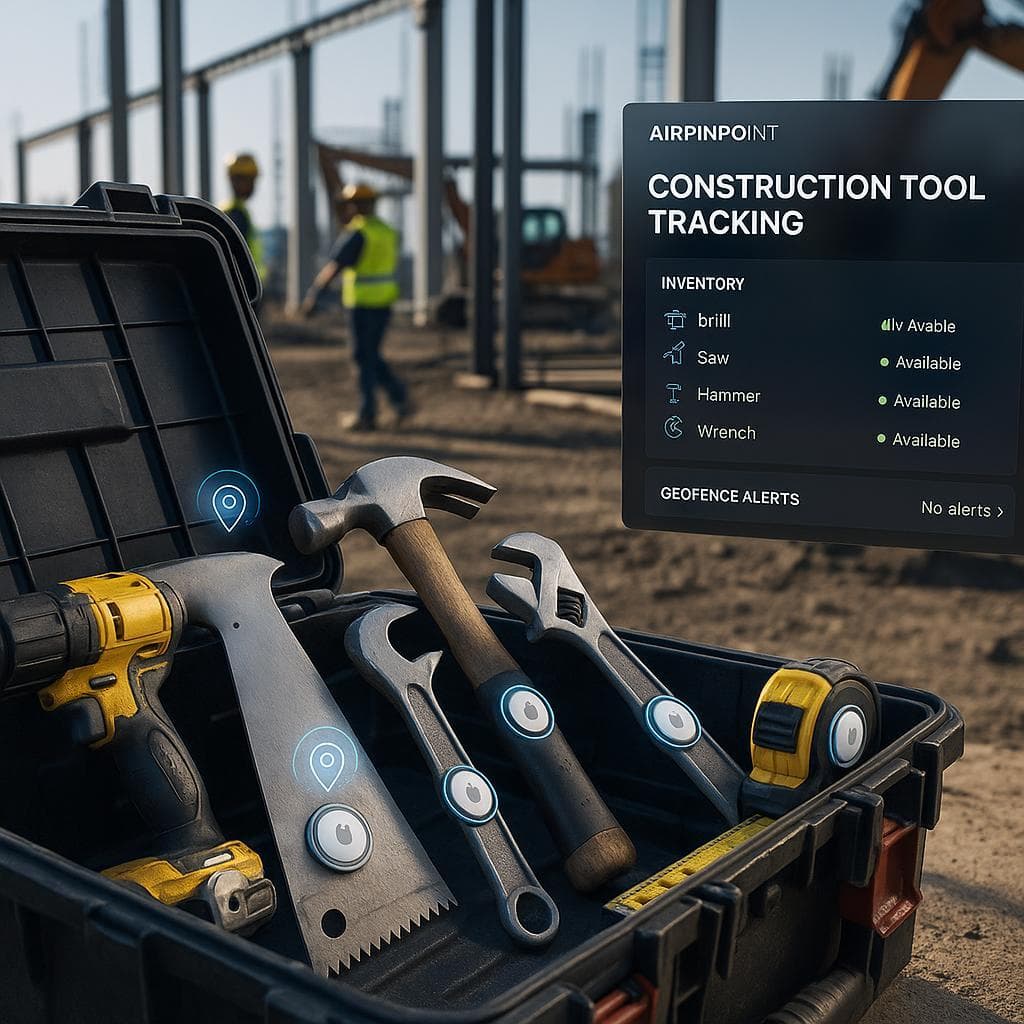
Where AirTags Excel on Job Sites
AirTags are ideal for construction because:
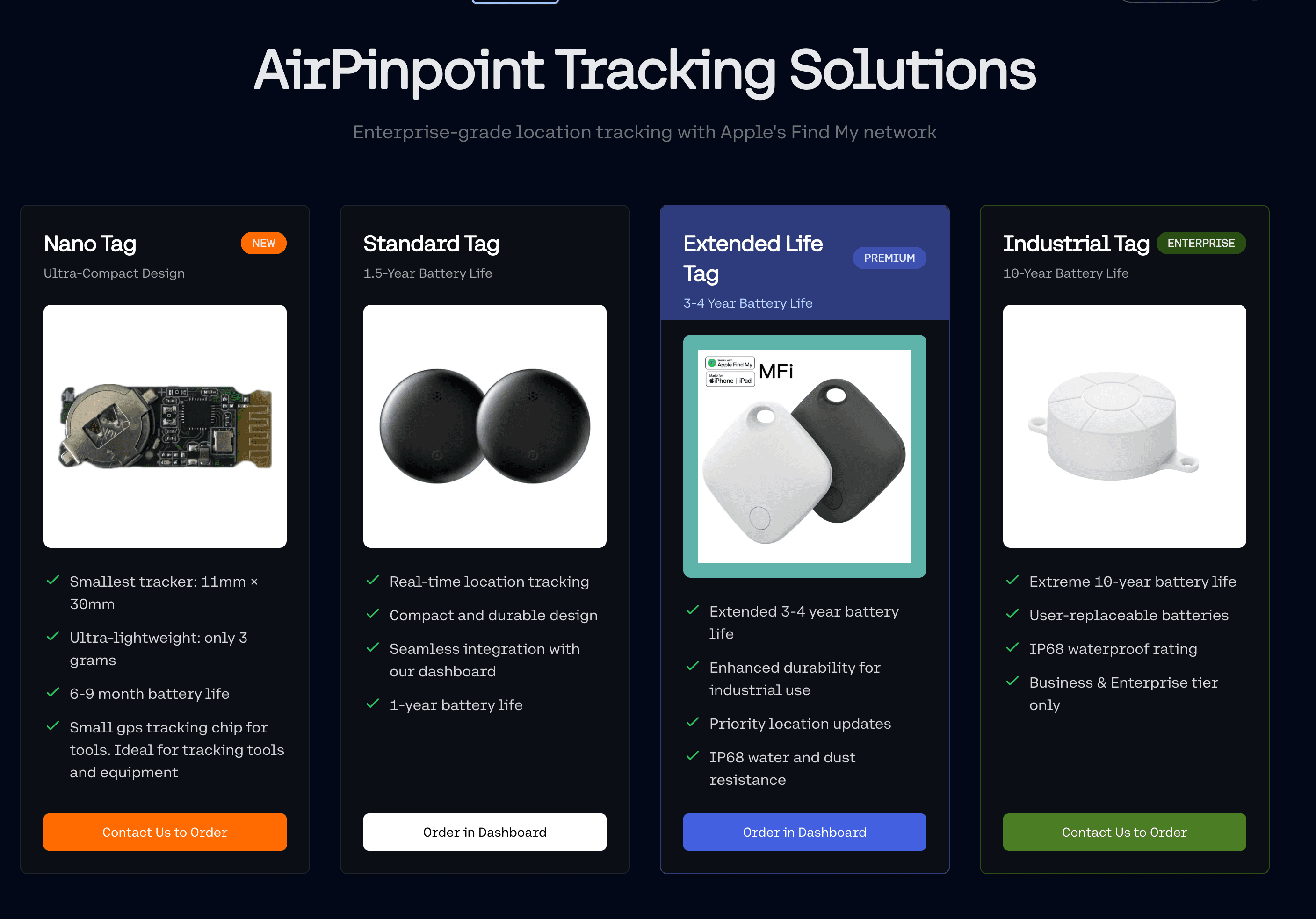
- Lower monthly costs: AirTags are $29 hardware; Airpinpoint plans start at $11.99 per tag per month vs $25-45/month for GPS
- Easy deployment: Attach and go, no professional installation
- Discreet: Thieves don't know what to remove
- Battery life: 12+ months with minimal maintenance
- Urban coverage: Strong Find My network density near construction sites
Equipment to Tag
| Equipment Type | AirTag Value | Notes |
|---|---|---|
| Generators | High | Frequently stolen, moves between sites |
| Compressors | High | High theft target, easy to resell |
| Power saws | High | Expensive, portable, theft-prone |
| Trailers | High | Often left overnight, hard to recover |
| Heavy equipment | Medium (backup) | Primary GPS + AirTag as backup |
| Specialty tools | High | Expensive, specific to trades |
| Tool chests | High | Contains multiple valuable items |
Rugged Enclosure Options
Standard AirTag accessories won't survive construction environments. Invest in industrial-grade enclosures:
Elevation Lab TagVault Universal
- IP69 waterproof rating
- Mount via screw, rivet, zip-tie, or adhesive
- All-black matte finish (doesn't signal "AirTag here")
- Glass-filled composite construction
- Best for: Trailers, heavy equipment, outdoor exposure
Urban Armor Gear (UAG) Essential Armor
- 2-piece locking design (tool required to open)
- Water and dust resistant
- Includes nylon strap and 3M adhesive options
- Best for: Equipment requiring tamper resistance
CASEBUDi Hard Case
- Multiple mounting options (bolt, rivet, zip-tie, glue)
- Form-fitting AirTag molding
- Built for weather, water, dirt, impacts
- Compatible with DeWalt tool tag locations
- Best for: Power tools, tool boxes, versatile applications
Placement Best Practices
Do:
- Hide tags in non-obvious locations
- Use multiple tags on high-value equipment
- Document tag locations (you'll need to find them for battery replacement)
- Test that location updates work from tag placement
Don't:
- Place tags where they'll be found during theft
- Rely solely on AirTags for mission-critical equipment (add GPS backup)
- Forget about battery replacement (schedule 12-month intervals)
Phase 5: Geofencing Configuration
What Geofencing Provides
Geofencing creates virtual boundaries around your job sites. When equipment crosses one of these boundaries, especially after hours, you receive an alert once seven consecutive reports agree it is on the far side.
Key benefits:
- Confirmed theft alerts: Know within 15 to 40 minutes when equipment leaves
- After-hours monitoring: Flag unauthorized movement
- Automated assignment: Equipment auto-assigns to sites when entering
- Safety zones: Alert when equipment enters dangerous areas
Setting Up Geofences
Step 1: Define Your Boundaries
For each job site, create geofences around:
- The main work area (primary site boundary)
- Equipment staging/parking areas
- Material storage zones
- Restricted/dangerous areas (for safety alerts)
Step 2: Configure Alert Rules
Avoid alert fatigue by configuring smart rules:
| Trigger | When to Alert | Who Gets Notified |
|---|---|---|
| Exit after hours | Equipment leaves boundary 6PM-6AM | Site supervisor, security |
| Unauthorized entry | Equipment enters restricted zone | Safety officer |
| Extended absence | Equipment outside geofence >24 hours | Fleet manager |
| Entry confirmation | Equipment arrives at new site | Project manager |
Step 3: Test and Refine
- Walk equipment through geofence boundaries to verify alerts
- Adjust boundary size if too many false positives
- Ensure cellular/GPS coverage in geofenced areas
- Document response procedures for each alert type
Industry context: construction and farm equipment theft runs $300M to $1B annually (NICB and NER). What a geofence changes is the detection delay: without one, a Friday night theft is discovered Monday morning; with one, a confirmed alert reaches you in 15 to 40 minutes. That does not guarantee a recovery. It does mean the police report has a time, a boundary crossing and a direction of travel in it instead of "the yard was full Friday and empty Monday." We have no law enforcement partnerships, and what happens after you file is up to the department.
Phase 6: Integration and Workflows
Connecting Your Systems
For maximum effectiveness, integrate tracking systems:
Checkout System ↔ Location Tracking
- When tools are checked out, assign to worker/site
- When tools return to geofenced yard, auto-complete check-in
- Flag tools that left site without checkout
Location Data ↔ Maintenance System
- Send the technician to where the machine actually is, not where the work order says it was
- Cluster pending service calls by site so one trip covers several machines
- Note the limit: a Find My tag reports position, not engine hours. It does not read a machine's ECU, so it cannot trigger service on usage. That needs a hardwired telematics unit. Airpinpoint has no maintenance scheduling and no engine hour tracking; it supplies the location half, and your CMMS keeps the schedule.
Alerts ↔ Security Response
- Geofence alerts trigger security protocols
- Camera systems flag movement in alert zones
- After-hours alerts notify designated responders
Daily Operations Checklist
Morning:
- Verify all tracked equipment shows current location
- Review overnight alerts (any unauthorized movement?)
- Confirm tool checkout system is online
- Check low-battery alerts on tracking devices
End of Day:
- Ensure all checked-out tools are returned or documented
- Verify equipment is within geofenced areas
- Confirm security cameras are recording
- Lock tool crib and secure high-value items
Weekly:
- Inventory audit: physical count vs system records
- Review geofence alerts for patterns
- Check tracking device batteries
- Update asset register with new equipment/disposals
Phase 7: Measuring Success
Key Metrics to Track
Measure all of these for a month before you deploy anything. Without a before figure, the after figure is just a story. Set targets against your own baseline rather than against someone else's benchmark:
| Metric | How to measure it | Why it matters |
|---|---|---|
| Loss value | Replacement purchases for gear that was not worn out | The only loss number that is genuinely yours |
| Checkout compliance | Signed-out items divided by items that left the crib | Below roughly 80% the data stops being trustworthy |
| Detection delay | Time from an asset leaving to somebody knowing | This is the one a geofence directly changes |
| Alert response time | Alert timestamp to first action taken | An alert nobody acts on is worse than no alert |
| Time to locate | Time from "where is X" to an answer | Log it for two weeks before and after |
| Unaccounted items | Physical count against the register | A rising count means the process broke, not the hardware |
ROI Calculation
Track these cost savings:
Direct savings:
- Reduced theft losses
- Lower insurance premiums (document security improvements)
- Fewer emergency purchases
- Avoided rental costs (knowing where you own equipment is)
Indirect savings:
- Reduced search time, measured against your own two-week baseline log
- Better utilization, from dwell reports that show which machines nobody has asked for
- Fewer project delays from missing equipment
- Lower replacement costs, measured as the replacement share of your tool purchase orders
Where the money usually turns up:
- Idle machines you are still paying to fuel, insure, or rent, because nobody knew they were sitting
- Delay penalties avoided by servicing equipment before it strands a crew
- Downtime disputes with subcontractors settled against a timestamped location history instead of memory
Implementation Timeline
Week 1-2: Foundation
- Conduct complete asset inventory
- Prioritize equipment for tracking
- Order AirTags and enclosures
- Select checkout software platform
Week 3-4: Deployment
- Tag high-priority equipment with AirTags
- Configure geofences for all active sites
- Set up checkout system and train tool crib attendant
- Install/verify security cameras
Month 2: Optimization
- Review alert patterns, adjust geofence boundaries
- Train all workers on checkout procedures
- Conduct first inventory audit
- Document baseline metrics
Month 3+: Continuous Improvement
- Weekly inventory audits
- Monthly loss/recovery reporting
- Quarterly system review and optimization
- Annual security assessment
Common Mistakes to Avoid
- Tagging everything at once: Start with high-value items, prove the system, then expand
- Ignoring checkout compliance: A system only works if people use it
- Setting too many alerts: Alert fatigue leads to ignored warnings
- Visible AirTag placement: Hide trackers where thieves won't find them
- No response protocol: Alerts are useless without defined actions
- Skipping inventory audits: Trust but verify, physical counts matter
- Single-layer security: Combine physical, camera, and tracking approaches
The Bottom Line
Construction site security requires multiple layers: physical deterrence, camera surveillance, checkout accountability, and location tracking. No single solution prevents all theft, but a systematic approach dramatically reduces losses and improves recovery rates.
Start with the basics:
- Inventory what you have
- Tag high-value equipment with AirTags
- Implement a checkout system
- Configure geofence alerts
- Measure and improve
Do the arithmetic before you buy. Replacement purchases for gear that was not worn out, deductibles times claims, rental invoices for machines you already owned, and two weeks of logged search time. Against $29 per tag plus $11.99 per tag per month for the assets you would actually tag. That comparison is specific to you, and it beats any percentage a vendor can quote.
Two limits to hold in mind while you do it. A Find My tag gives you position at roughly 10 to 30 meters, which identifies a site and a yard rather than a bay. And it reports when an Apple device passes near it, so a machine at a quiet rural site can go silent for a stretch before checking in.
Your equipment represents your livelihood. Protect it.


 Our Solution